Afterline - Video Editor
A downloadable tool for Windows
What is Afterline?
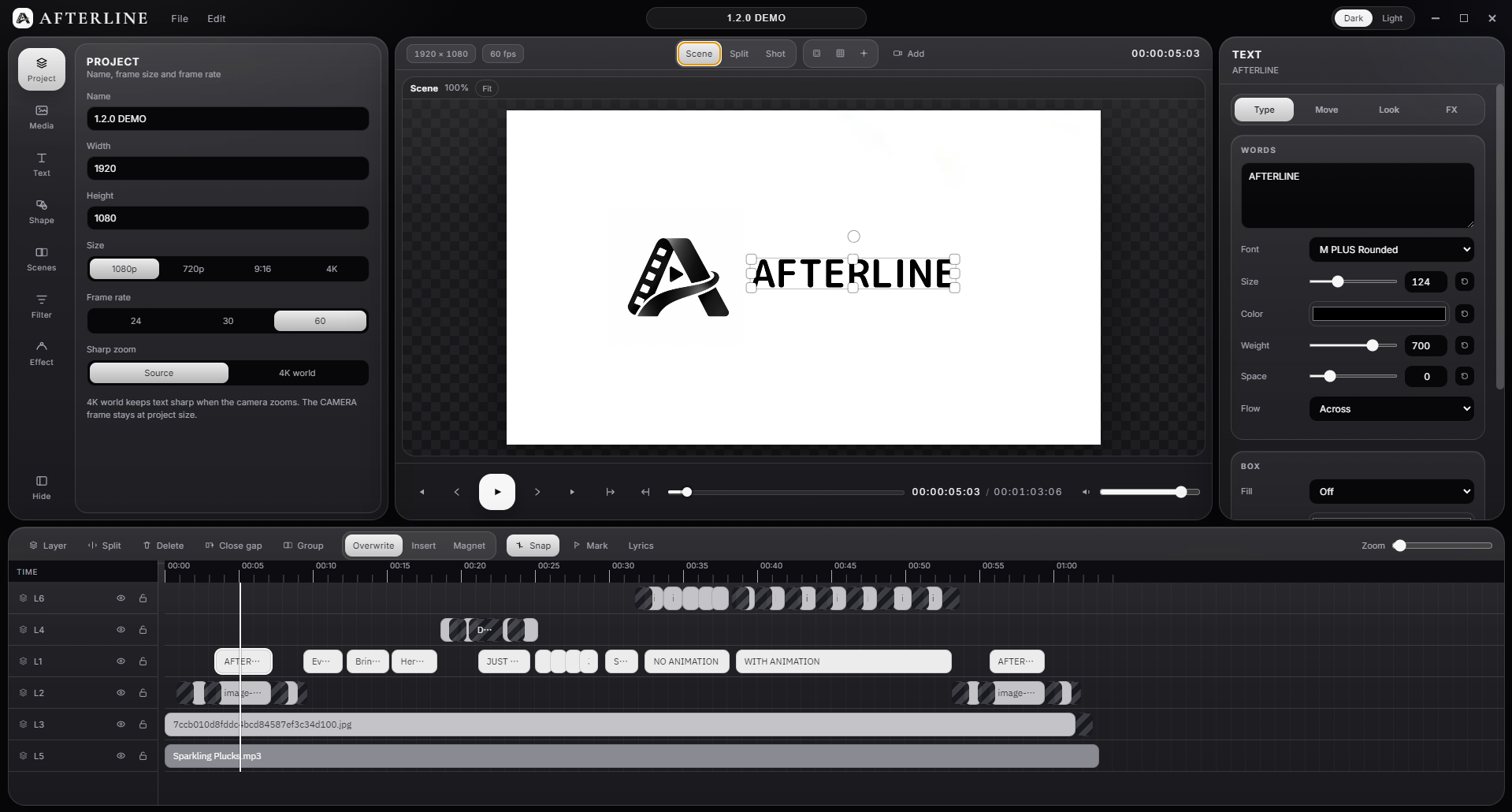
Afterline is a specialized kinetic typography and lyric video editor designed to bring your music visuals to life. Built with a spatial canvas workflow, Afterline eliminates the tedious process of complex keyframing, allowing creators to craft dynamic anime-style MVs and rhythm-synced text animations effortlessly.
Key Features
- Smart 2D Camera Morphing: Move and transition your camera seamlessly between text elements and scenes without touching a single keyframe graph.
- Dual-Viewport Workspace: Overview canvas on the left for spatial layout, and active 60 FPS camera view on the right for precise framing.
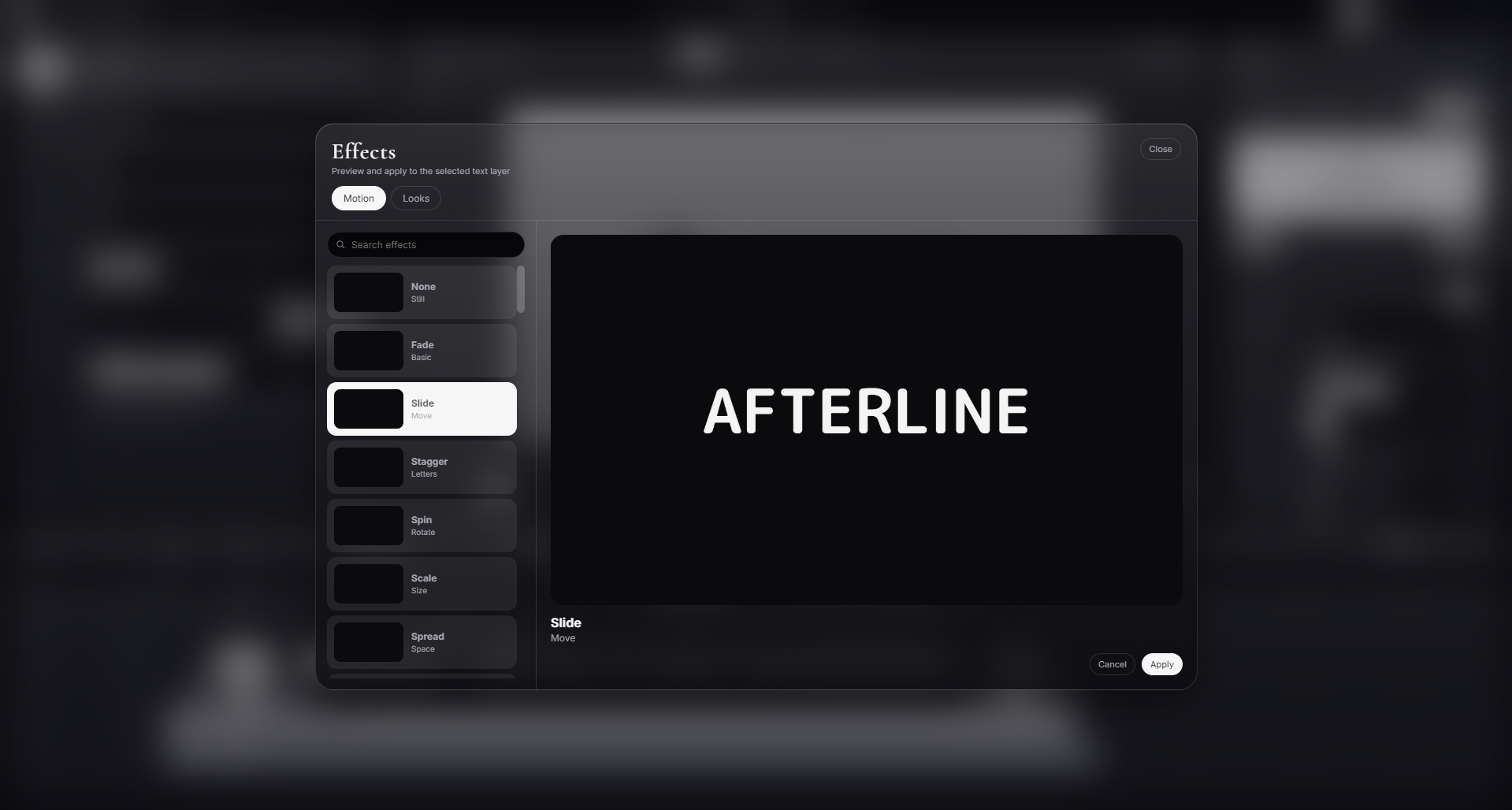
- Typography in Motion: Rich text styling, per-character animations, outline strokes, glow effects, and native support for complex scripts.
- Filters & Visual Effects: Built-in motion transitions (Drift, Cross, Zoom), color grading, and visual stylization presets.
- Multi-Layer Timeline: Flexible audio, image, and text layering optimized for beat-matching.
System Requirements (Windows Only)
Note: Afterline currently runs exclusively on Windows 10 / 11 (64-bit).
| Hardware | Minimum | Recommended |
|---|---|---|
| OS | Windows 10 / 11 (64-bit) | Windows 10 / 11 (64-bit) |
| CPU | Intel Core i3 (8th Gen+) / AMD Ryzen 3 | Intel Core i5 (10th Gen+) / AMD Ryzen 5 |
| RAM | 8 GB | 16 GB |
| GPU | Intel UHD 630 / NVIDIA GT 1030 (WebGL 2.0) | NVIDIA GTX 1050 Ti / GTX 1650 or higher |
| Storage | 1 GB available space (SSD recommended) | 2 GB available space (SSD) |
Beta Notice & Feedback
Afterline is currently in active Beta / Prototype development. You may encounter occasional bugs, glitches, or performance hiccups during this testing phase.
Your feedback is essential to making Afterline better:
- Report Bugs & Suggest Features: Submit Bug Report Here
- Direct Contact & Community: Reach out on Discord at
@hitorikun.
Afterline คืออะไร?
Afterline คือโปรแกรมตัดต่อวิดีโอที่ออกแบบมาสำหรับงาน Kinetic Typography และ Lyric Video สไตล์อนิเมะ MV โดยเฉพาะ โดดเด่นด้วยระบบ Spatial Canvas ที่เปลี่ยนการจัดวางข้อความและการเคลื่อนกล้องให้เป็นเรื่องง่าย ไม่ต้องเสียเวลาดัดกราฟคีย์เฟรมทีละจุด
ฟีเจอร์เด่น
- ระบบ 2D Camera Morph: เคลื่อนกล้องสลับช็อตและแพนหามุมตัวหนังสืออัตโนมัติด้วยระบบ Morph Transition โดยไม่ต้องกำหนด Keyframe เอง
- Dual-Viewport Canvas: ทำงานสะดวกด้วยจอผืนผ้าใบภาพรวม (Overview) ควบคู่กับจอมอนิเตอร์กล้องจริงแบบเรียลไทม์ 60 FPS
- Text Animation & Typography: รองรับฟอนต์หลากหลาย การตัดคำภาษาไทย เอฟเฟกต์ตัวอักษร Glow, Stroke, Plate และแอนิเมชันจังหวะเพลง
- เอฟเฟกต์และฟิลเตอร์: พรีเซ็ตการเคลื่อนไหว Color Grading และ Transition สำเร็จรูปพร้อมใช้งาน
ระบบที่รองรับ (Windows Only)
โปรแกรมรองรับการทำงานบนระบบปฏิบัติการ Windows 10 / 11 (64-bit) เท่านั้น
- สเปคขั้นต่ำ: CPU Intel Core i3 (Gen 8+) / Ryzen 3, RAM 8 GB, GPU รองรับ WebGL 2.0 (GT 1030 หรือชิปออนบอร์ด)
- สเปคแนะนำ: CPU Intel Core i5 (Gen 10+) / Ryzen 5 5600, RAM 16 GB, GPU NVIDIA GTX 1050 Ti / GTX 1650 ขึ้นไป
ข้อควรทราบช่วง Beta & การแจ้งปัญหา
โปรแกรมเวอร์ชันนี้ยังอยู่ในช่วง Beta อาจพบเจอบั๊ก ข้อผิดพลาด หรือการทำงานที่ไม่สมบูรณ์ในบางจุด หากพบปัญหา สามารถช่วยแจ้งข้อมูลเพื่อให้ทีมงานนำไปปรับปรุงได้ที่:
- แบบฟอร์มแจ้งบั๊ก: คลิกที่นี่เพื่อแจ้งปัญหา
- ติดต่อสอบถามโดยตรง: Discord
@hitorikun.
Download
Click download now to get access to the following files:
Development log
- New update 1.1.0 BETA6 days ago
- Introducing Afterline (Beta) — Effortless Lyric Video Creation11 days ago
Leave a comment
Log in with itch.io to leave a comment.